Window Functions
SQL window functions are an analytical feature that lets users to perform calculations across a defined set of rows related to the current row, enabling complex calculations like running totals and moving averages.
By Alex Merced Last updated
Seeing the Forest and the Trees
In standard SQL, the GROUP BY clause is powerful but destructive. If you have a table of 1,000 individual sales transactions and you write SELECT department, sum(sales) GROUP BY department, the output will condense those 1,000 rows into perhaps 5 rows (one for each department). You lose the visibility of the individual transactions.
What if a business analyst wants to see every individual transaction, but also wants to see how that individual transaction compares to the department total, or wants to calculate a running total row-by-row?
This is where Window Functions are essential. A window function performs a calculation across a set of table rows that are somehow related to the current row. Crucially, unlike aggregate functions (GROUP BY), window functions do not cause rows to become grouped into a single output row. They retain the original granularity of the table while appending advanced analytical calculations as new columns.
The Anatomy of a Window Function
A window function is defined by the OVER() clause, which defines the “window” of rows the function will operate on.
SELECT
  employee_name,
  department,
  salary,
  AVG(salary) OVER (PARTITION BY department) as dept_avg_salary
FROM employees;
In this query, the PARTITION BY acts similarly to a GROUP BY, but instead of collapsing the rows, it calculates the department average and appends it to every single row in that department. The analyst can instantly see that John makes $60k, and his department’s average is $75k.
Common Window Function Use Cases
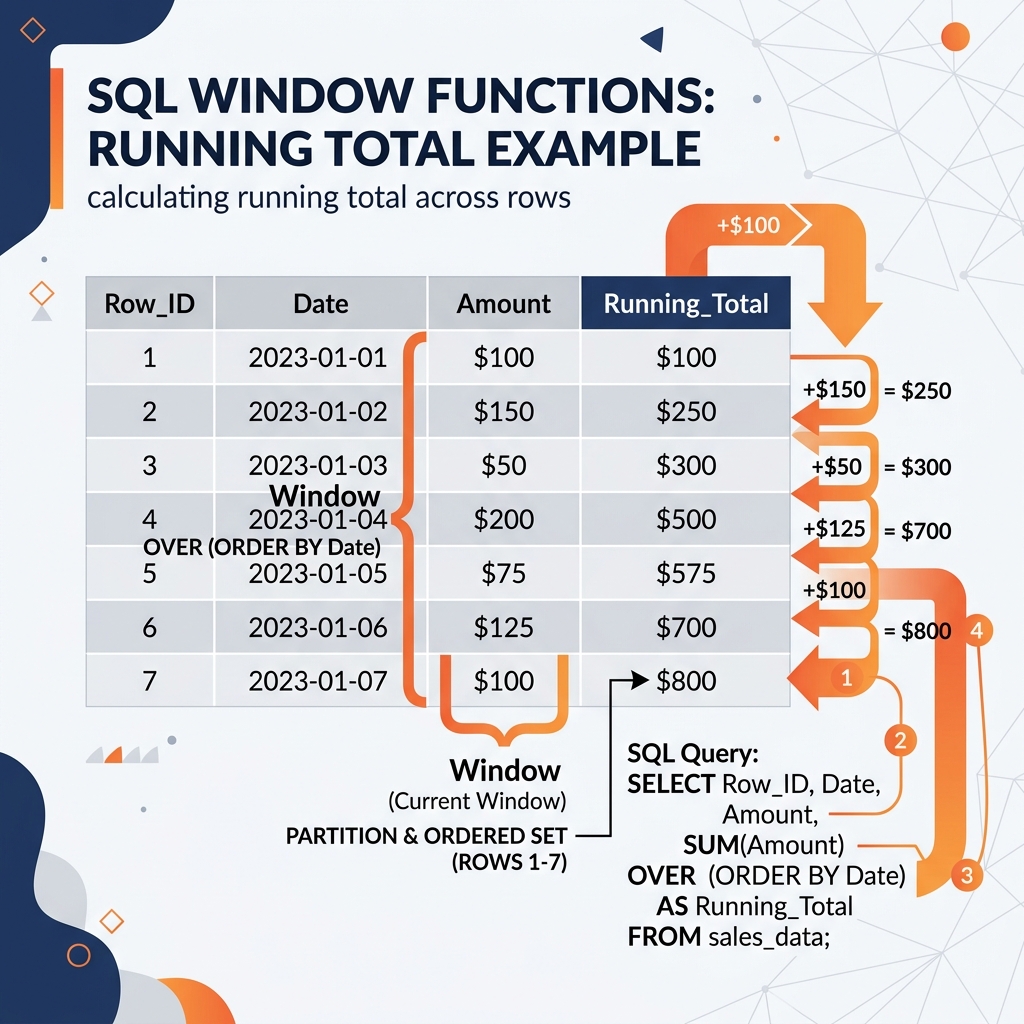
Running Totals: The most classic use case. By adding an ORDER BY clause inside the window, the function calculates cumulatively.
SUM(revenue) OVER (ORDER BY date) will output the revenue for Day 1 on row 1, the sum of Day 1+2 on row 2, and so on.
Moving Averages: Used to smooth out volatile data (like stock prices).
AVG(price) OVER (ORDER BY date ROWS BETWEEN 6 PRECEDING AND CURRENT ROW) calculates a 7-day moving average. For every row, it looks at the current row and the 6 rows before it.
Ranking and Top-N Queries: Identifying the top performers within specific categories.
RANK() OVER (PARTITION BY store_id ORDER BY sales DESC) assigns a rank (1, 2, 3…) to salespeople within each individual store based on their sales.
Deduplication: In modern data lakehouses, window functions are the primary tool for cleaning duplicate streaming data.
By using ROW_NUMBER() OVER (PARTITION BY transaction_id ORDER BY timestamp DESC), data engineers can easily filter the table WHERE row_number = 1, ensuring they only keep the absolute most recent update for any given transaction.
Learn More
For a longer treatment of this and the architecture around it, see the books by Alex Merced. You can also browse the rest of the knowledge base.